
Install on Shopify
Add the app and turn the chat on in your theme.
Open in dashboardInstall the app from the Shopify App Store, then turn the chat on in your theme. No code needed.
Install the app#
Find Any Store AI in the Shopify App Store
Select Install and approve the permissions Shopify shows.
Open the app from your Shopify admin
Your account and store connection are created for you. There's no separate sign up.
Follow the setup on the app home
It starts with Tailor it, two quick questions, then a short checklist.
Turn on the chat#
The chat appears on your store once its app embed is on.
On the app home, select Open theme editor
The theme editor opens with Any Store AI Chat ready in App embeds.
Turn on Any Store AI Chat
Pick Bottom right or Bottom left under Widget position.
Select Save in the theme editor.
You can also do it by hand: in your Shopify admin go to Online Store > Themes, select Edit theme on your live theme, open App embeds and turn on Any Store AI Chat.
Check it's live#
Back on the app home, select Check now. Turn on the chat is ticked once the chat is found on your store. It also checks by itself.
Use it in Shopify admin#
Every feature works in the app in your Shopify admin. There's nowhere else you need to sign in. Open Any Store AI from Apps in your Shopify admin. The app's menu has:
- Inbox, Reports, Knowledge base, Email automations, Appearance and Behavior.
- Under View more: Sales, Support, Messages, Product pages, Unanswered questions, Contacts, Integrations and Settings.
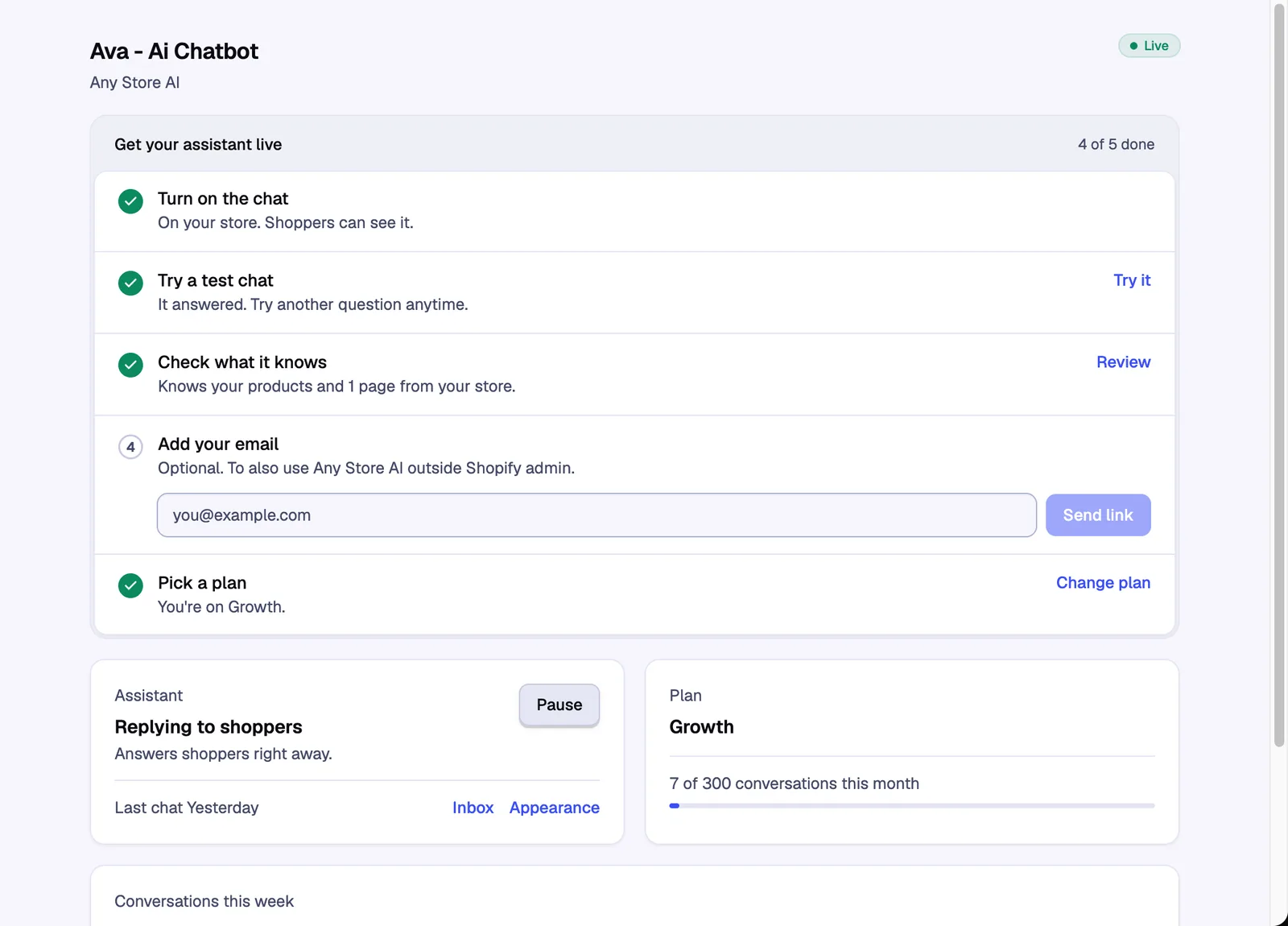
The app home has your setup steps, a test chat and your plan.
Staff on your Shopify store can use the app too. Only the store owner can connect integrations and change owner-only settings, like business details and the team. See Team members.
Full dashboard#
Optional. The full dashboard at app.anystoreai.com lets you use Any Store AI outside Shopify admin and connect more than one store. To open it, add your email on the app home and select Send link. Confirm the email, then select Sign up and use the same address.
Remove the chat#
Turn off Any Store AI Chat in App embeds and select Save. To stop replies but keep the chat, see Pause the assistant.
Still stuck? Contact support and we'll reply by email.